B2B · Sales CRM
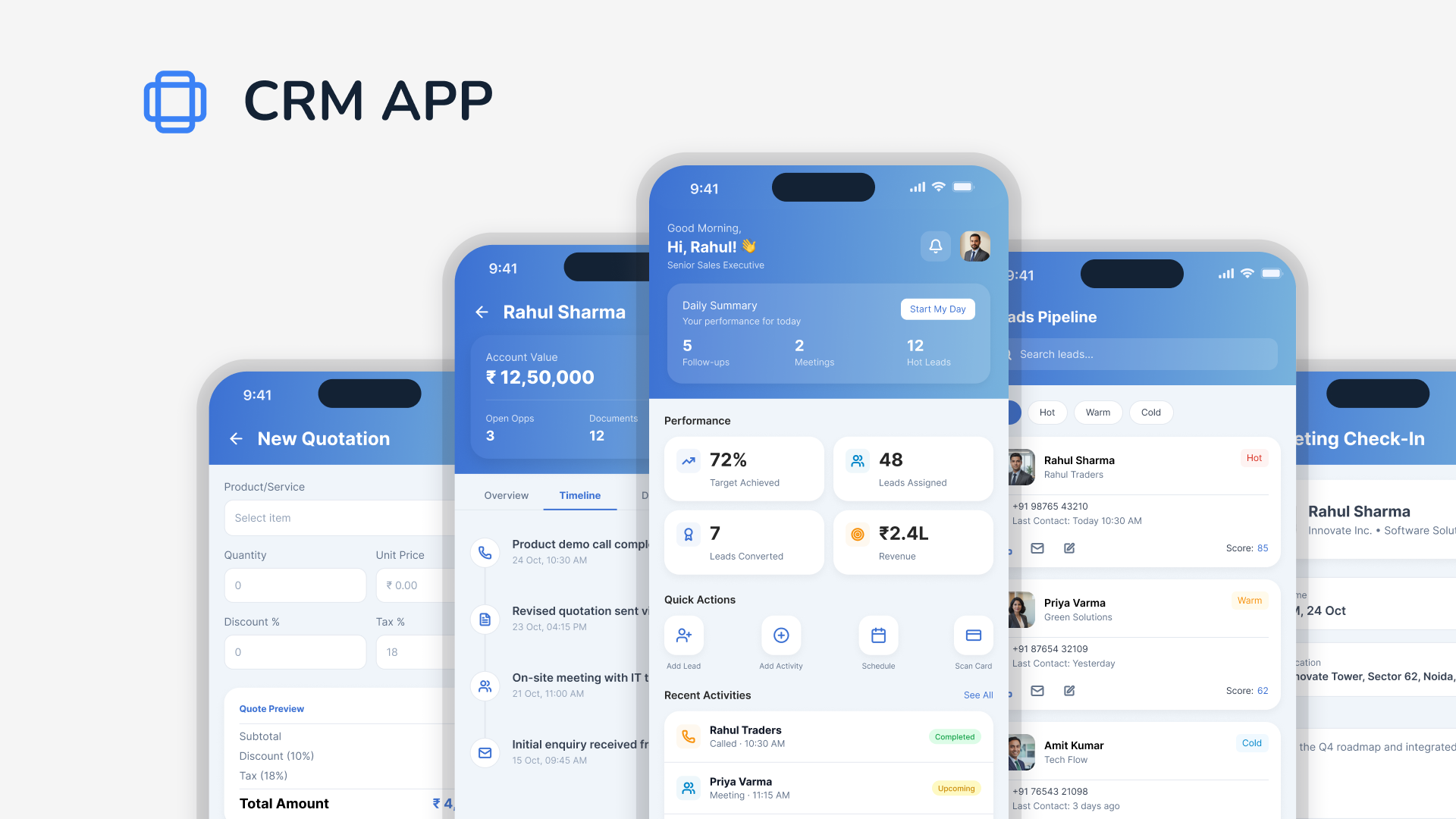
Sales executives were tracking leads in notebooks, spreadsheets, and memory. This CRM was built around one job: take a lead from first contact to closed customer, without losing it along the way.
— The Problem
A sales executive talks to 15 to 20 leads a week. Each one needs a follow-up, a document, a demo, a price quote, a decision. None of that fits in a head, and almost none of it was being written down anywhere the team could see.
The result: a lead would go quiet for two weeks, and nobody knew if that was because the customer was thinking it over, or because the rep simply forgot to call back. Both looked identical from the outside. Both ended the same way.
I wasn't designing a tool to track sales activity. I was designing a tool to make sure a lead could never silently disappear.
That became the thesis.
— The Thesis
Most CRMs ask the sales executive to do extra work: log this call, update this field, fill this form. The rep's actual job, talking to people and closing deals, gets a second screen bolted on top of it.
I flipped the framing. Every action the rep was already taking, calling, sending a quote, scheduling a demo, became the data entry. The CRM doesn't ask for updates. It captures them as a side effect of the work.
— The Model
A lead moves through three stages before it becomes a customer. Each stage has a different job, and a different failure mode if it's left unattended.
Every lead lands in a pipeline view with its stage, last contact, and next follow-up date visible at a glance. Hot leads, ones with a follow-up due today, surface at the top automatically. No filtering, no searching.
In plain terms: the app tells the rep who to call today.
Once a lead agrees to move forward, a checklist takes over: documents, demo, pricing, contract. Each step is timestamped the moment it's marked done. The rep always knows exactly what's left, and so does anyone checking on the deal.
In plain terms: nothing falls through because every step is visible.
When the contract is signed, the lead converts to a customer record automatically, carrying its entire history with it. The rep doesn't re-enter anything. The time from first contact to conversion is logged without a single manual step.
In plain terms: closing a deal shouldn't mean starting a new file.
— The Guardrail
"I'll follow up next week" is a sentence, not a system. If there's no date attached, the CRM treats the lead as untouched.
A rep logs a call, writes a note, and moves on. The note says "follow up soon." Nothing on any screen, anywhere, tells anyone when "soon" is. The lead sits until someone remembers it exists.
Logging an interaction requires setting the next follow-up date in the same action. It cannot be skipped. The lead automatically resurfaces on that date, on the rep's pipeline view, with no manual check required.
— Designed Against
An early version had a full activity log: call notes, email threads, meeting summaries, all in separate tabs per lead. It looked thorough. In testing, reps stopped opening it within a week.
"Feels like I'm filing a report" was the exact phrase from one session. Discarded.
The rep's job is to sell, not to document selling. Every screen was rebuilt around a single question: does this help the rep make the next call, or is it just a record for someone else to read later? Anything in the second category got cut or automated.
— The Outcome
Sales executives open the app and see exactly who to contact today, what stage every lead is in, and what's left before a deal closes. No spreadsheets, no separate notebooks, no leads sitting quietly for weeks.
For managers, the same pipeline view shows where deals are stuck and which reps need support, without asking for a status update.
The lead doesn't go cold anymore. If it's been more than a week, the app already knows, and so does the rep.